lodestone
Open G tuning
Open G tuning is D G D G B D, from the thickest string to the thinnest. From standard, lower the 6th, 5th and 1st strings a whole step. Strum the open strings and you hear a G major chord.
Lodestone for iPhone shows these strings too, with the one you're tuning lit up. 99¢, once.
Open G tuning notes and frequencies
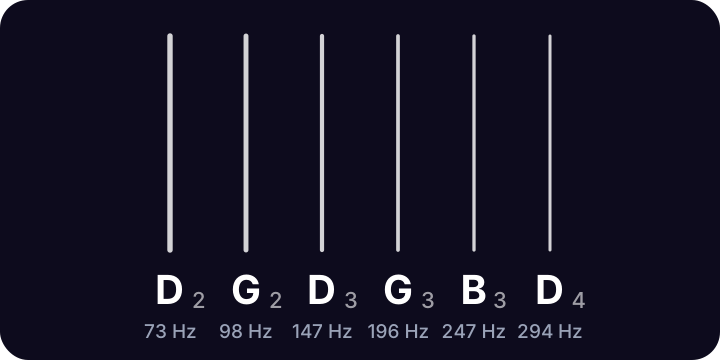
| String | Note | Frequency | From standard |
|---|---|---|---|
| 6th | D2 | 73.42 Hz | E → D whole step down |
| 5th | G2 | 98.00 Hz | A → G whole step down |
| 4th | D3 | 146.83 Hz | no change |
| 3rd | G3 | 196.00 Hz | no change |
| 2nd | B3 | 246.94 Hz | no change |
| 1st | D4 | 293.66 Hz | E → D whole step down |
Frequencies use A4 = 440 Hz. Strings are numbered from the thinnest.
Because the open strings already make a chord, open G is a favorite for slide guitar: lay the slide across any fret for a major chord.
Tap a string above to hear its note, or turn on the mic: the string you're tuning lights up and glows brighter as you get close.
How to tune to Open G
- Lower the 6th string from E to D.
- Lower the 5th string from A to G.
- Lower the 1st string from E to D. The D, G and B strings stay put.
Questions
What chord do the open strings make in open G?
G major: the notes are G, B and D.
More tunings
- Standard E A D G B E
- Drop D D A D G B E
- Half step down E♭ A♭ D♭ G♭ B♭ E♭
- D standard D G C F A D
- Drop C C G C F A D
- DADGAD D A D G A D
- Open D D A D F♯ A D
- Bass tuner E A D G
- Ukulele tuner G C E A
- Violin tuner G D A E

Lodestone for iPhone
Open Lodestone and play. It's already listening. Pick your instrument to see its strings, with the one you're tuning lit up. 99¢, once. No ads, no accounts, no subscription.